Elevate your musical creativity with Composer Ear Training.
Develop your ability to hear music in your head.
Build a clearer connection between the music you imagine and the music you compose through organized exercises and recognition tests in your DAW, using your instrument of choice.
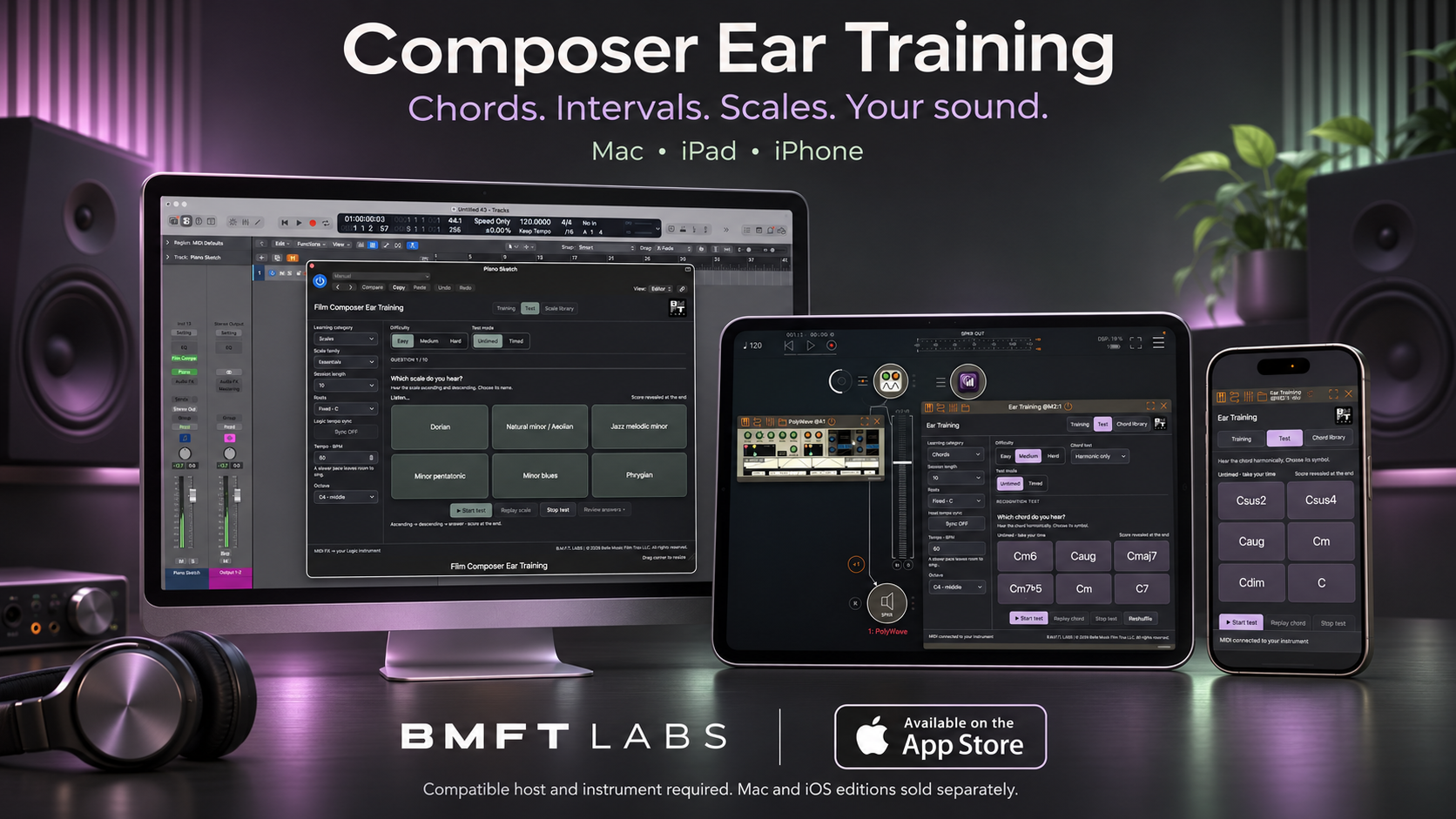
iOS · Available on the App Store
Composer Ear Training for iPhone and iPad ↗
Mac plug-in · Available now · AUv3 MIDI FX for Logic Pro
Get Composer Ear Training on the Mac App Store ↗
Invest in your ear. Expand your possibilities.
Developing your ear can help you hear harmonies and melodies more clearly, identify chord qualities and musical structure, and better understand temp music. Apply that understanding when composing, arranging, orchestrating and transcribing music on the spot.
Hear music more clearly in your head.
Build familiarity with chord colors, intervals and scales. Develop the connection between the sounds you imagine and the choices you make when composing.
Make your practice time count.
Your exercises are already organized. Choose your level, set your pace and sing along with your instrument of choice, all inside your composing workflow.
Test your ear. Know what to practice next.
Check your recognition, review your answers and revisit the sounds that challenge you. Give each practice session a clear direction.
Invest in your continuing musical education.
Composer Ear Training grew out of years of teaching film composers and observing a recurring challenge, students could create music with sophisticated tools, yet often struggled to identify the chords and intervals they heard. This plug-in brings focused listening practice into the composing workflow, helping composers connect musical knowledge with what they hear and imagine.
What gives a chord its distinctive color? How do the intervals in a melody shape its character and direction? As these relationships become more familiar, you can draw on a richer musical vocabulary when composing at the keyboard, working in the studio or writing with pen and paper.
Where do you start, and how do you know you’re improving?
With so much music theory to explore, it can be difficult to know where to begin or whether your practice is helping. Understanding a chord or scale on paper is one thing. Recognizing it by ear is a skill you can practice and test.
Where do I start?
Choose chords, intervals or scales and begin at a comfortable difficulty level. Work with a manageable selection before moving on to more challenging material.
How do I practice?
Listen closely, sing along and repeat. Explore the sound in different roots, using an instrument you know, and return to the examples you find difficult.
How do I know my level?
Test your ear at Easy, Medium or Hard difficulty. Review your score and answers, then repeat with different examples to discover what needs more practice.
Your practice is organized. Your next step is clear.
You don't have to build every exercise from scratch. Chords, intervals, scales and modes are organized in one place, with difficulty levels, guided playback and reference libraries ready to explore.
Choose a sound. Listen. Sing along. Test your ear. Review your answers, find the sounds that need more attention, then return to practice. Begin at your own pace and add a timed challenge when you're ready.
A few focused minutes can fit into the project you are already working on. Use a piano or another software instrument you enjoy, set a comfortable pace, and give your listening the same attention you give your production.
Apply what you hear to what you write.
For film and multimedia composers, temp music often sets the initial musical direction of a scene. A more developed ear can help you recognize its chord qualities, follow its melodic movement and understand how its musical structure shapes the emotion. Use those insights to make informed choices and develop your own musical response to the picture.
A stronger inner ear can also support arranging and orchestration. Hear how chord tones fit together, imagine how a harmony could be distributed across different instruments, and shape voicings for small or large ensembles. In the recording studio, these listening skills can help you identify musical details quickly, transcribe music on the spot and respond to changes during demanding sessions.
Three ways to develop your musical ear.
Chords
Get to know the color of a chord. Hear the harmony, sing its ascending and descending arpeggios, then practice recognizing its quality.
Intervals
Connect melodic movement with a familiar sound. Sing intervals upward and downward, then test them melodically or harmonically.
Scales & modes
Expand the colors available to your writing. Explore parent scales and numbered modes, sing their notes, and practice recognizing their character.
Practice, check your progress, then compose.
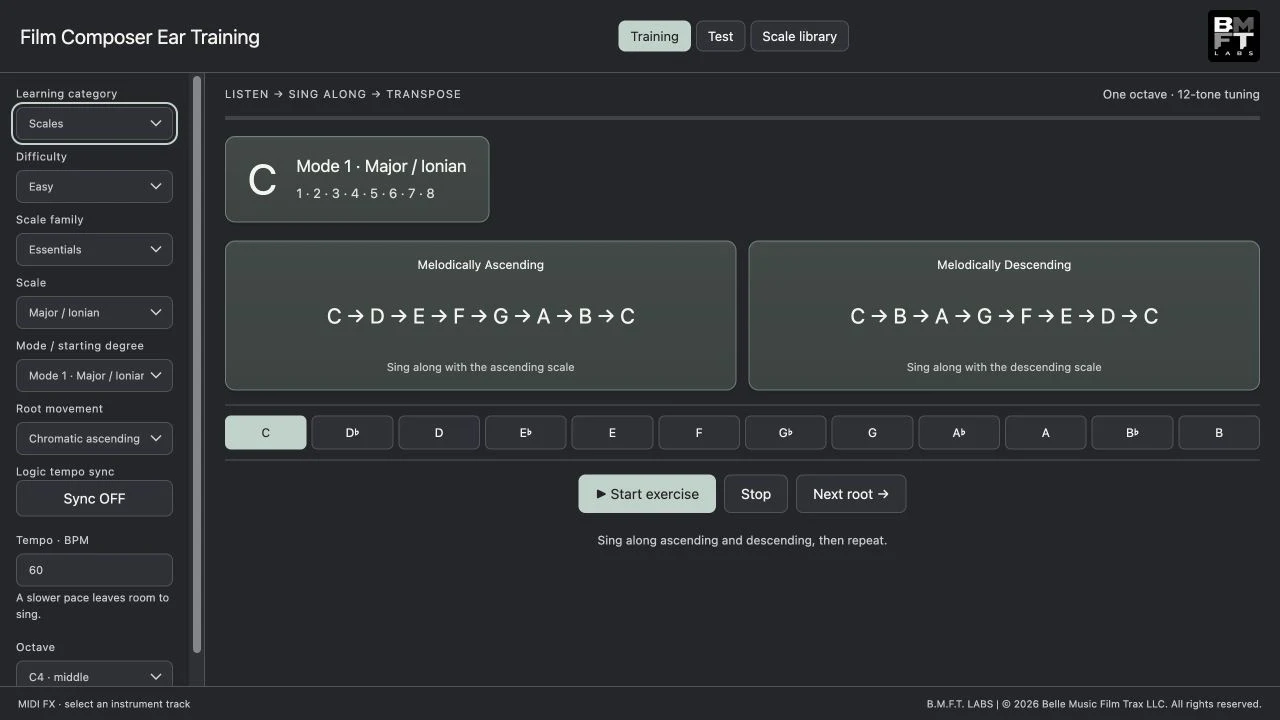
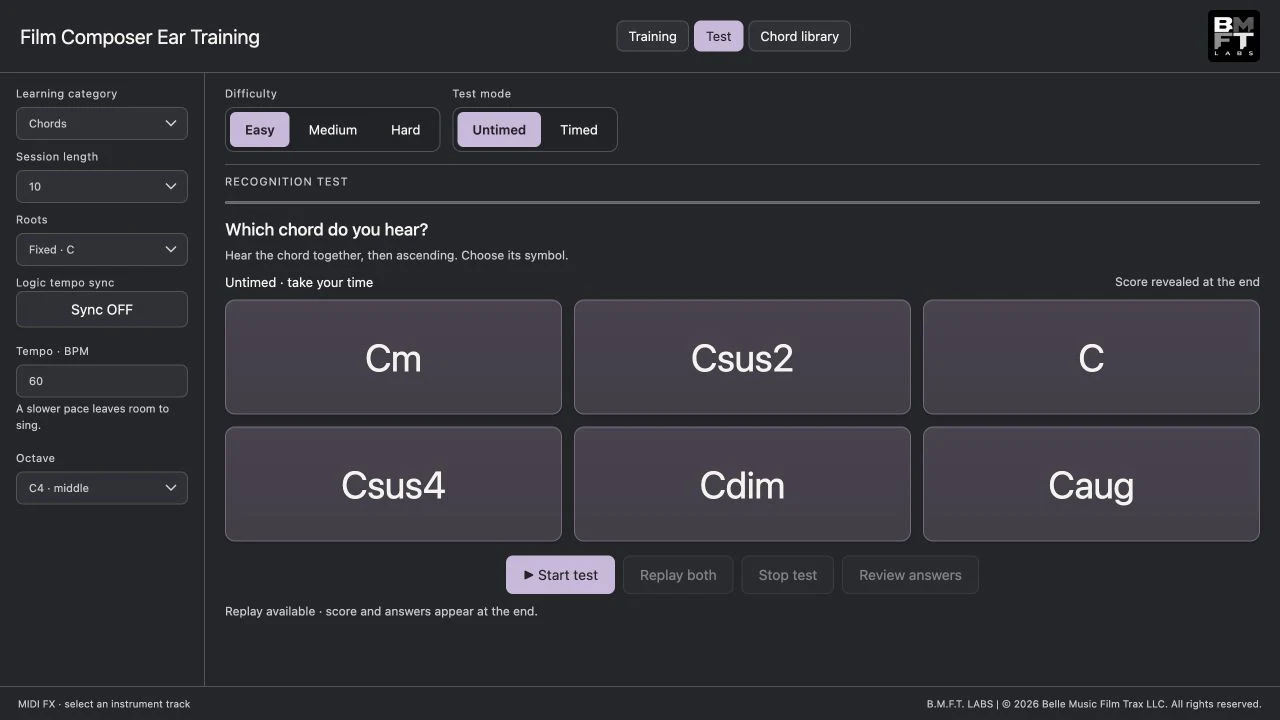
Choose Easy, Medium or Hard material, set a comfortable tempo and octave, and work on one root or move chromatically. Begin with untimed six-choice recognition tests, then add a timed challenge.
Review your score and answers at the end. Repeat the material in a shuffled order or start a new test. Explore the reference libraries and bring examples into your arrangement with MIDI export and drag-and-drop.
Hear the possibilities. Write with intention.
Made for film, television and game composers, songwriters, instrumentalists, producers, arrangers, students and educators who want a practical way to connect musical vocabulary with listening.
You do not need to be a trained singer. A comfortable hum can be part of the exercise. The plug-in supplies the notes; you participate. It does not record or assess your voice.
Regular practice can build familiarity and support more intentional musical choices. Recognition scores measure the exercise, not creative ability.
Practice with the sounds you love.
Hear each exercise through your favorite synth, sampled guitar, piano or orchestral instrument. Composer Ear Training sends MIDI to compatible software instruments, including instruments built into Logic Pro or Ableton Live and third-party instruments you already own.
Choose a sound that suits the exercise: a polyphonic patch for chords, or a solo flute or clarinet for scales and melodic intervals. Explore how the same musical relationships sound across different instruments.
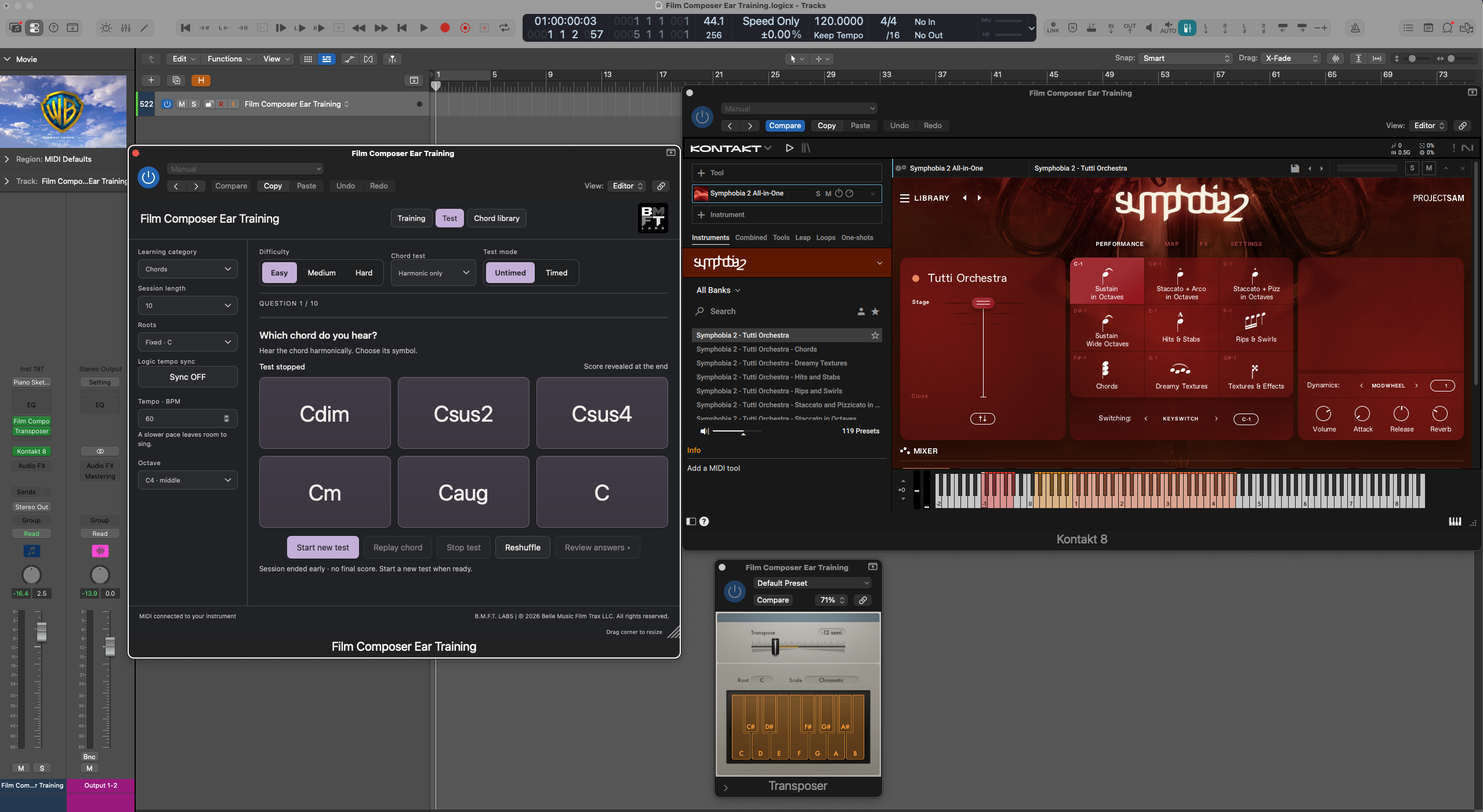
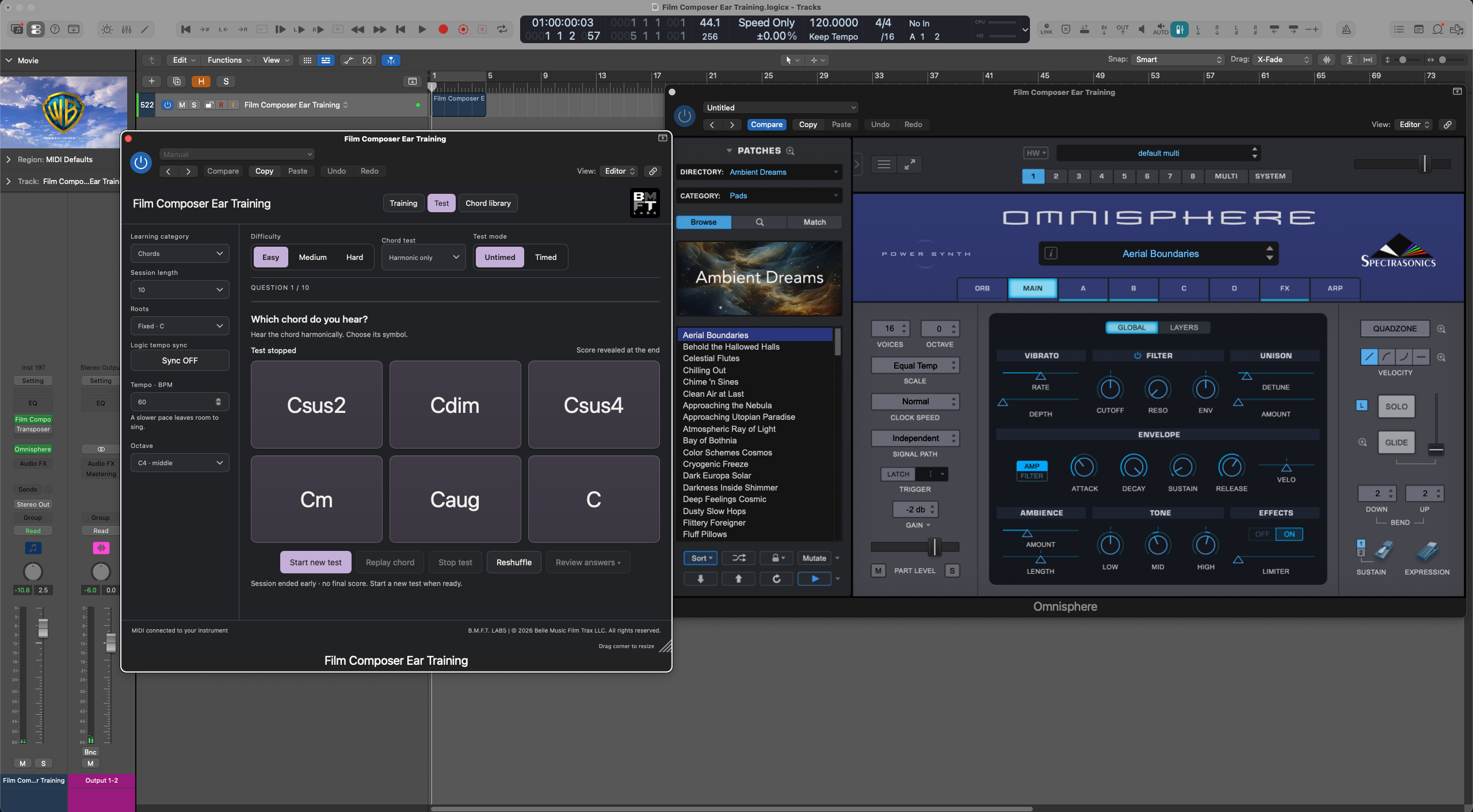
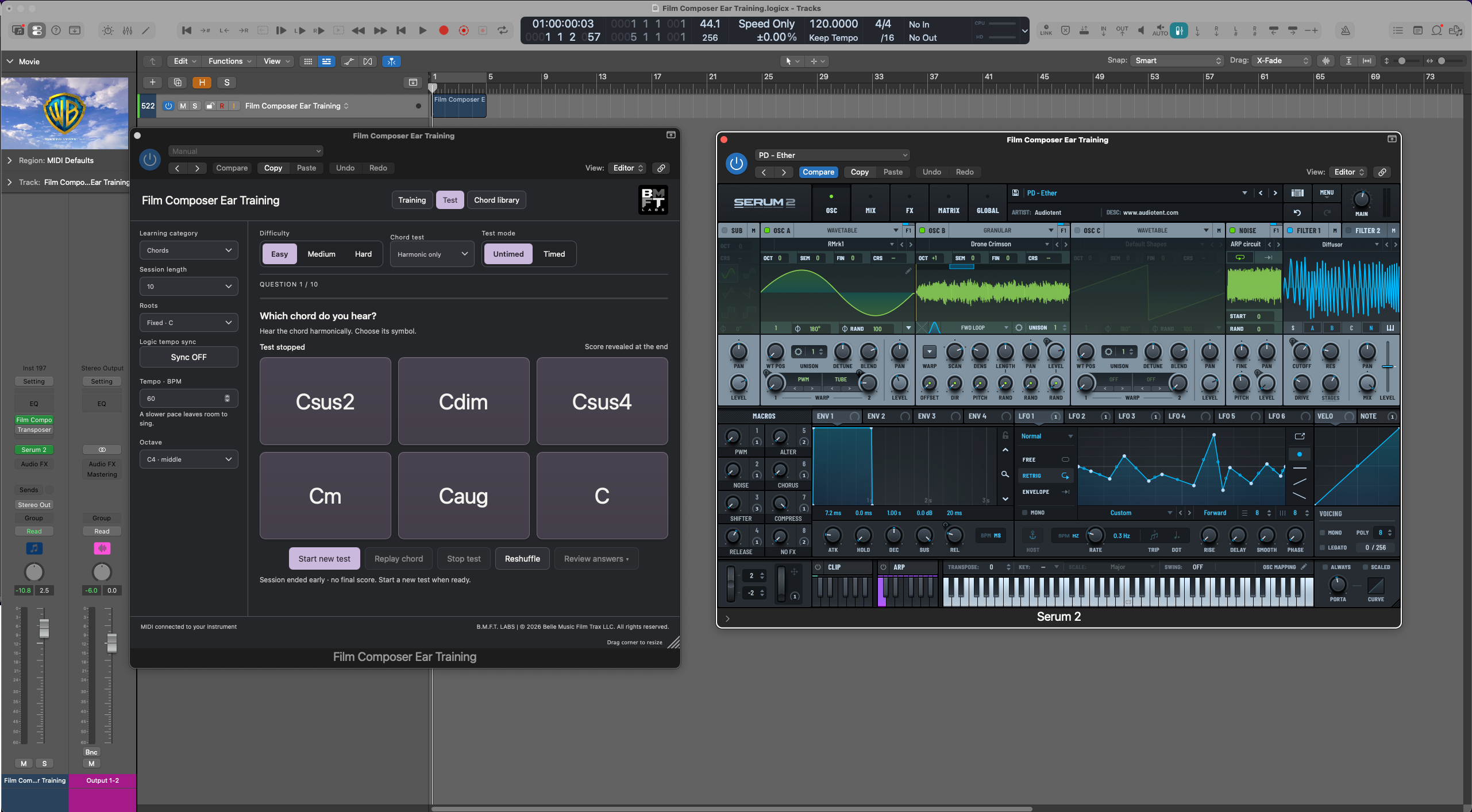
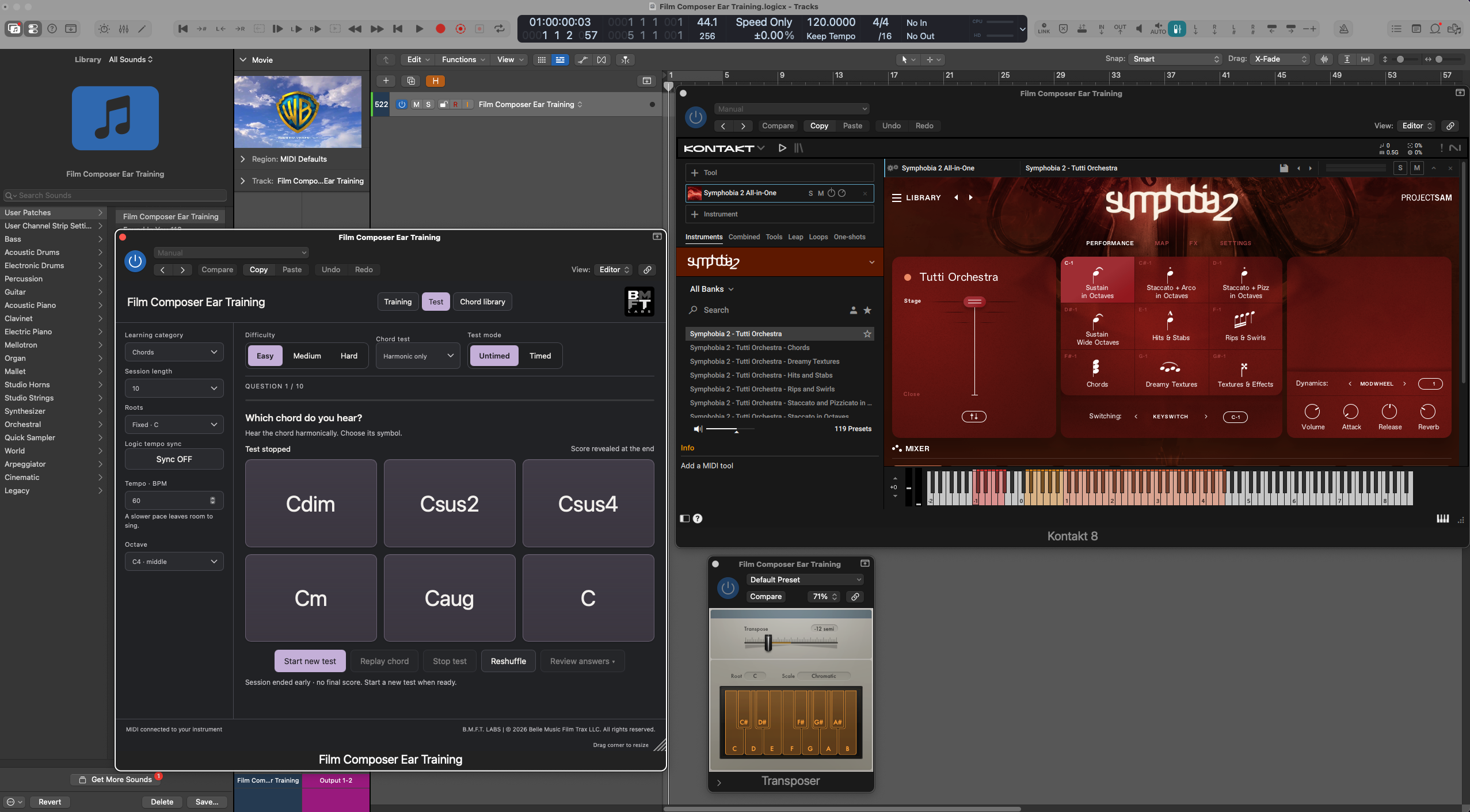
These examples show Logic Pro with separately installed third-party instruments. The instruments and sound libraries shown are not included.
Save your setup for your next session.
Logic Pro
Place Ear Training in a MIDI FX slot above your instrument. Save the channel strip setting, or save a Library patch as shown above, to recall your favorite instrument setup.
Ableton Live
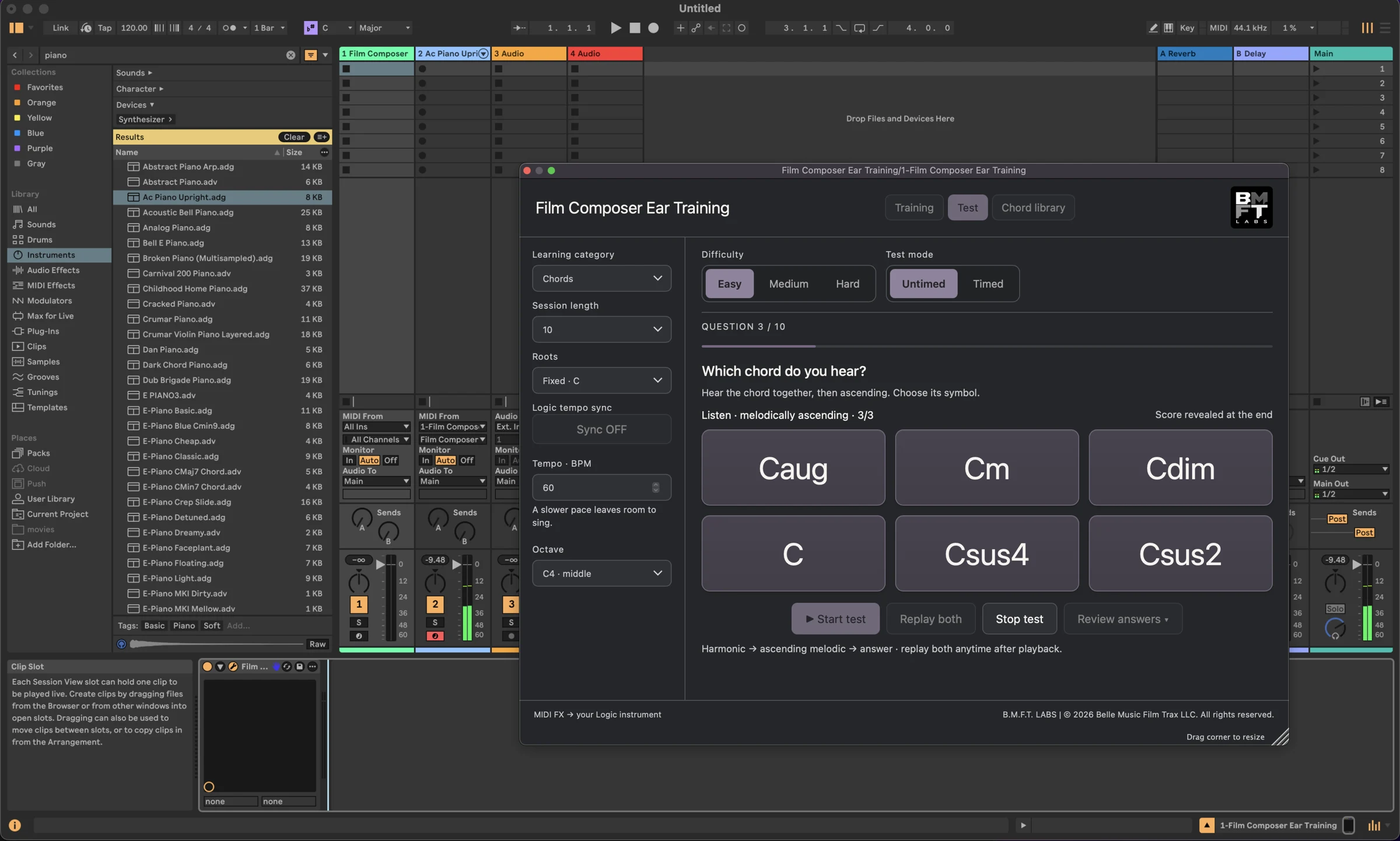
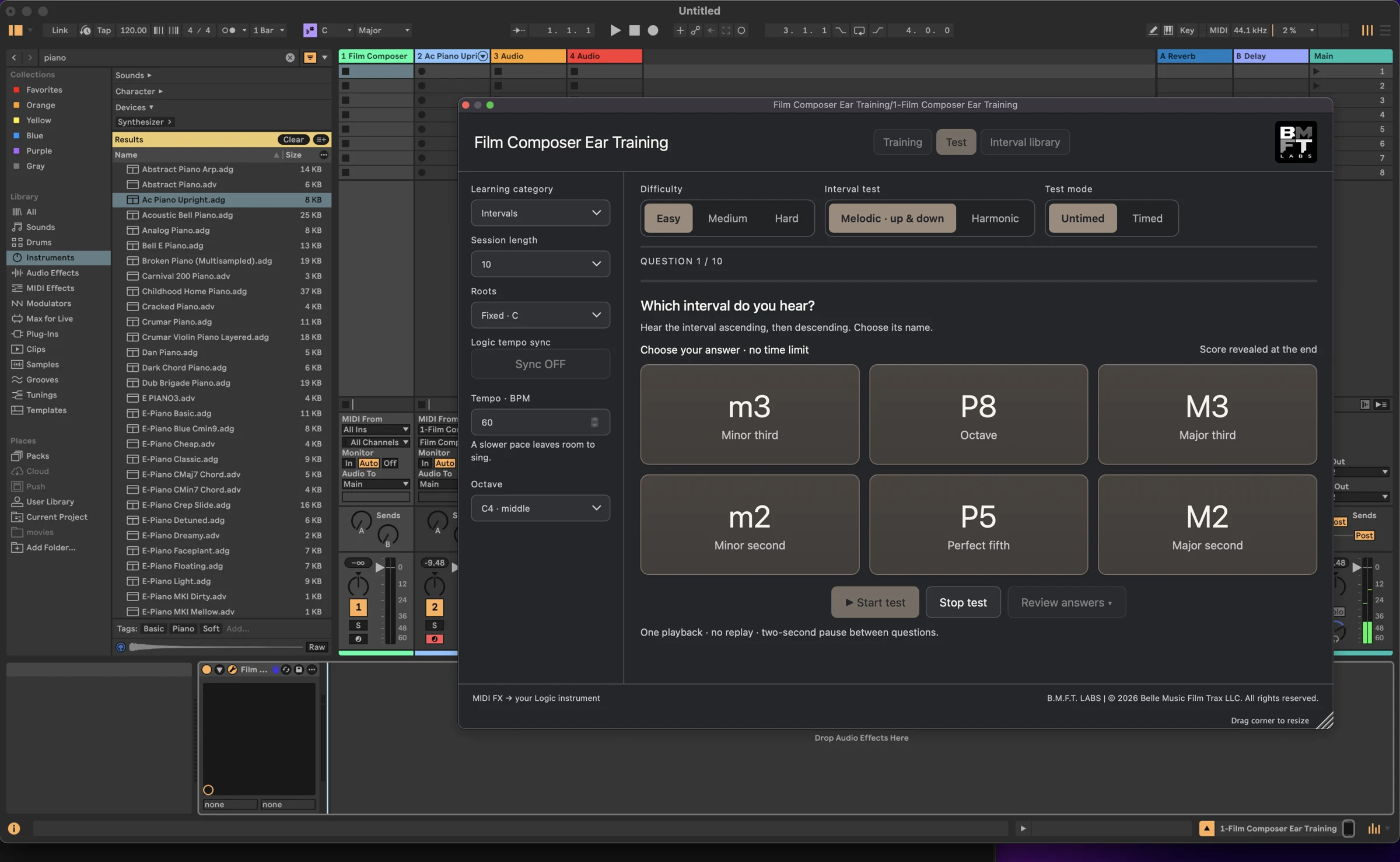
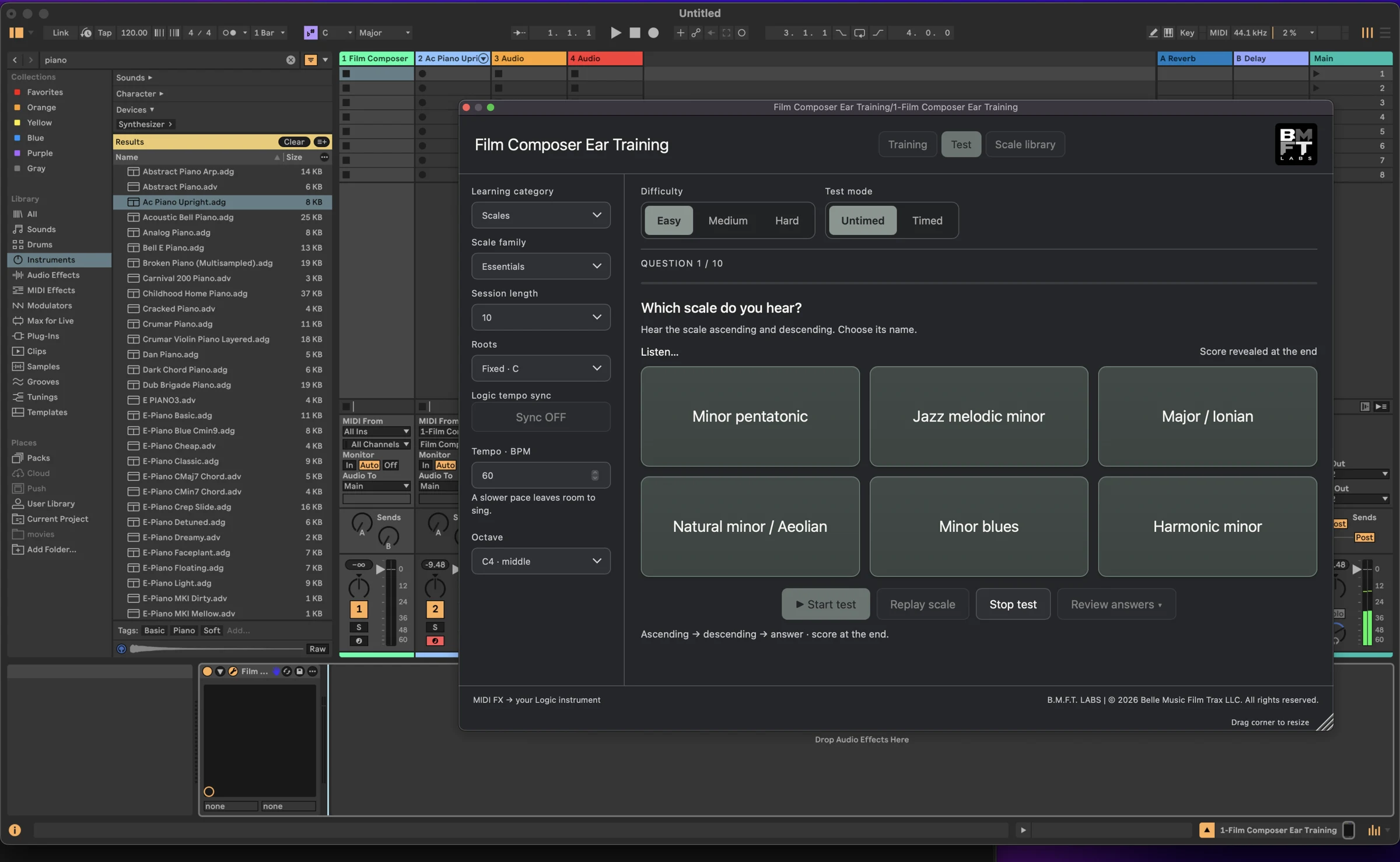
Use Ear Training VST3 on one MIDI track and route its MIDI output to your chosen instrument on a second track. Save both tracks and their routing with File → Save Live Set As Template for future sessions.
Saved setups keep your instrument and routing ready. Choose your Ear Training exercise or test settings when you reopen the plug-in; current exercise settings and results are not restored.
Inside Logic Pro
Chords, intervals and scales, connected to the instrument on your track.
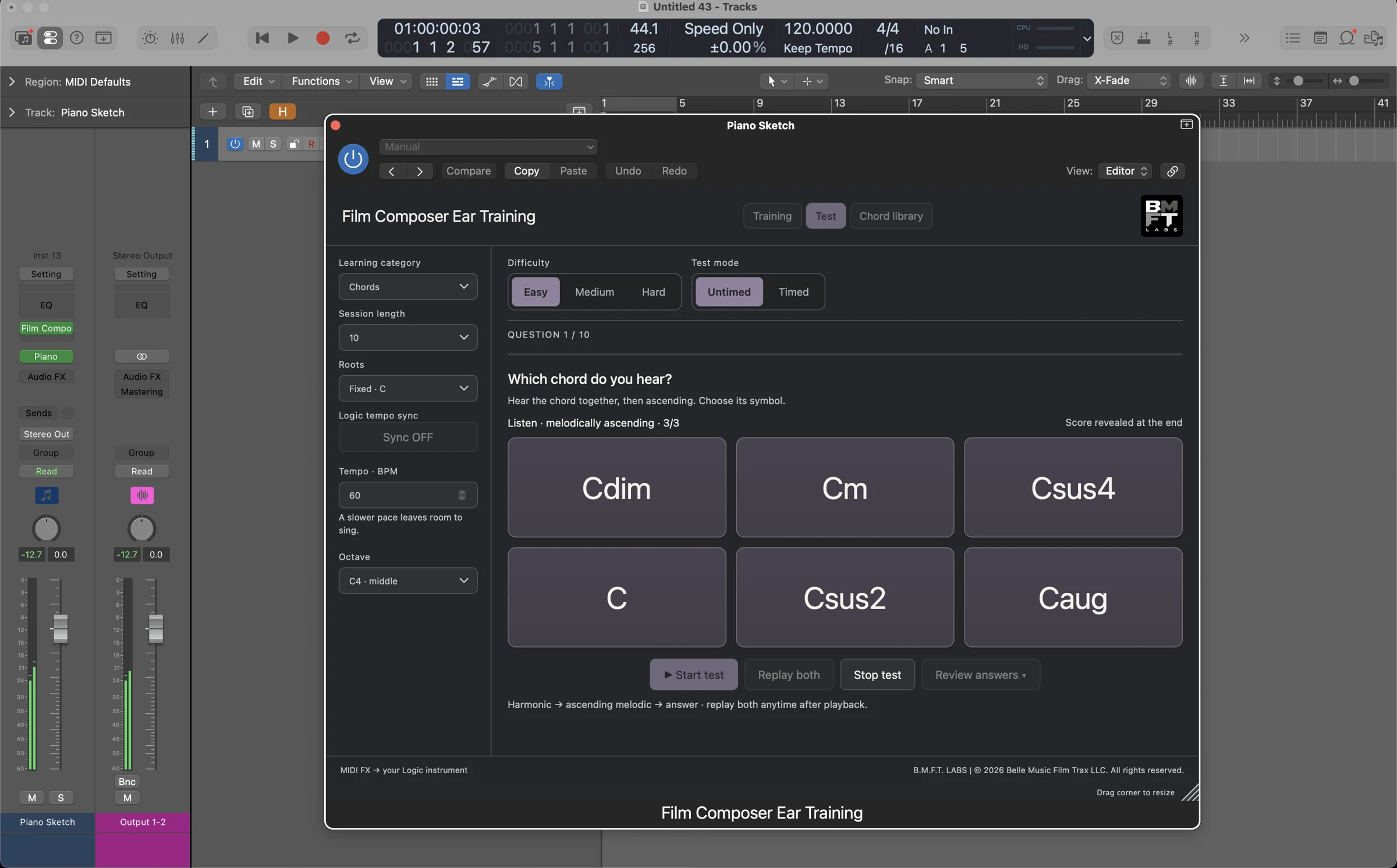
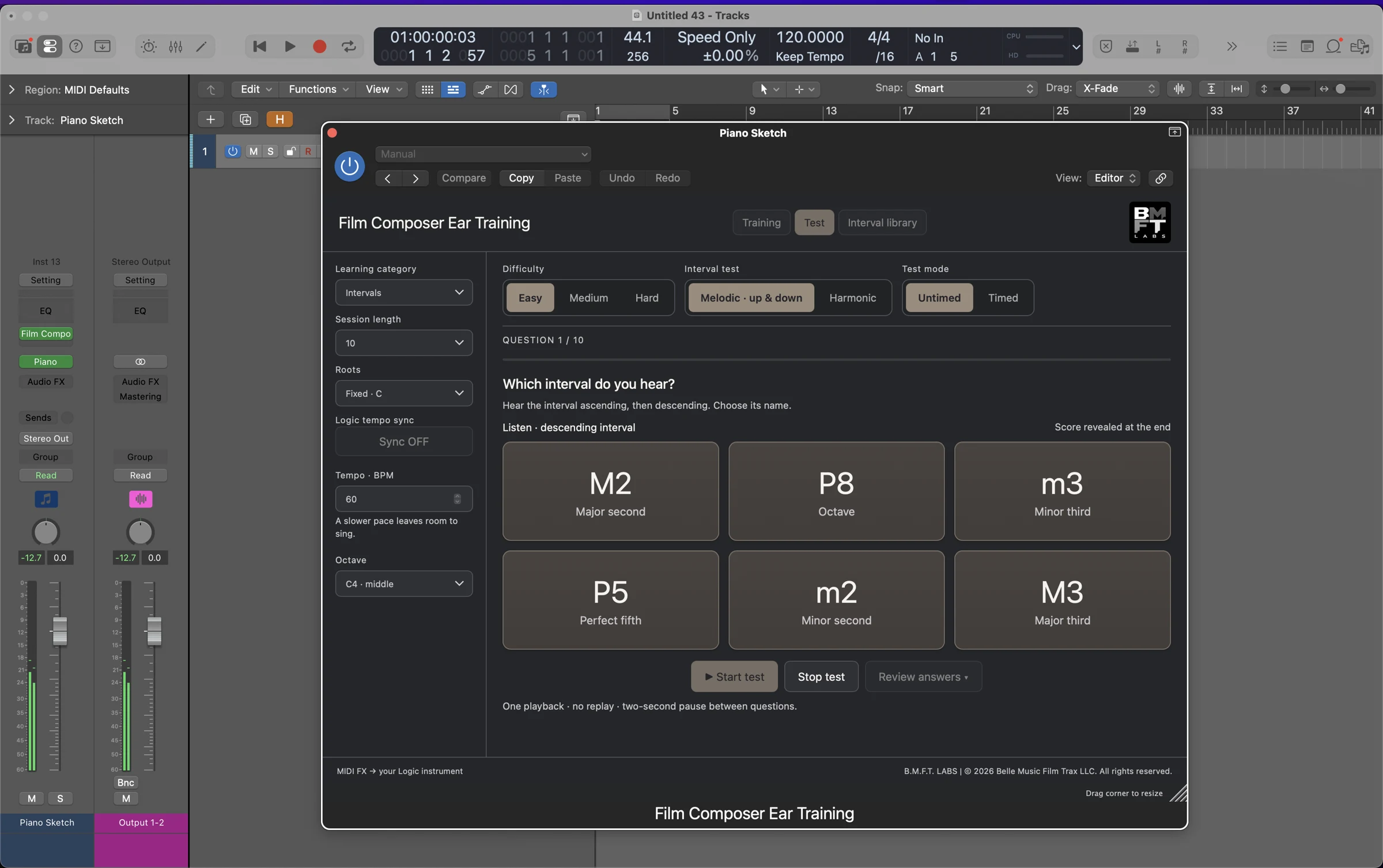
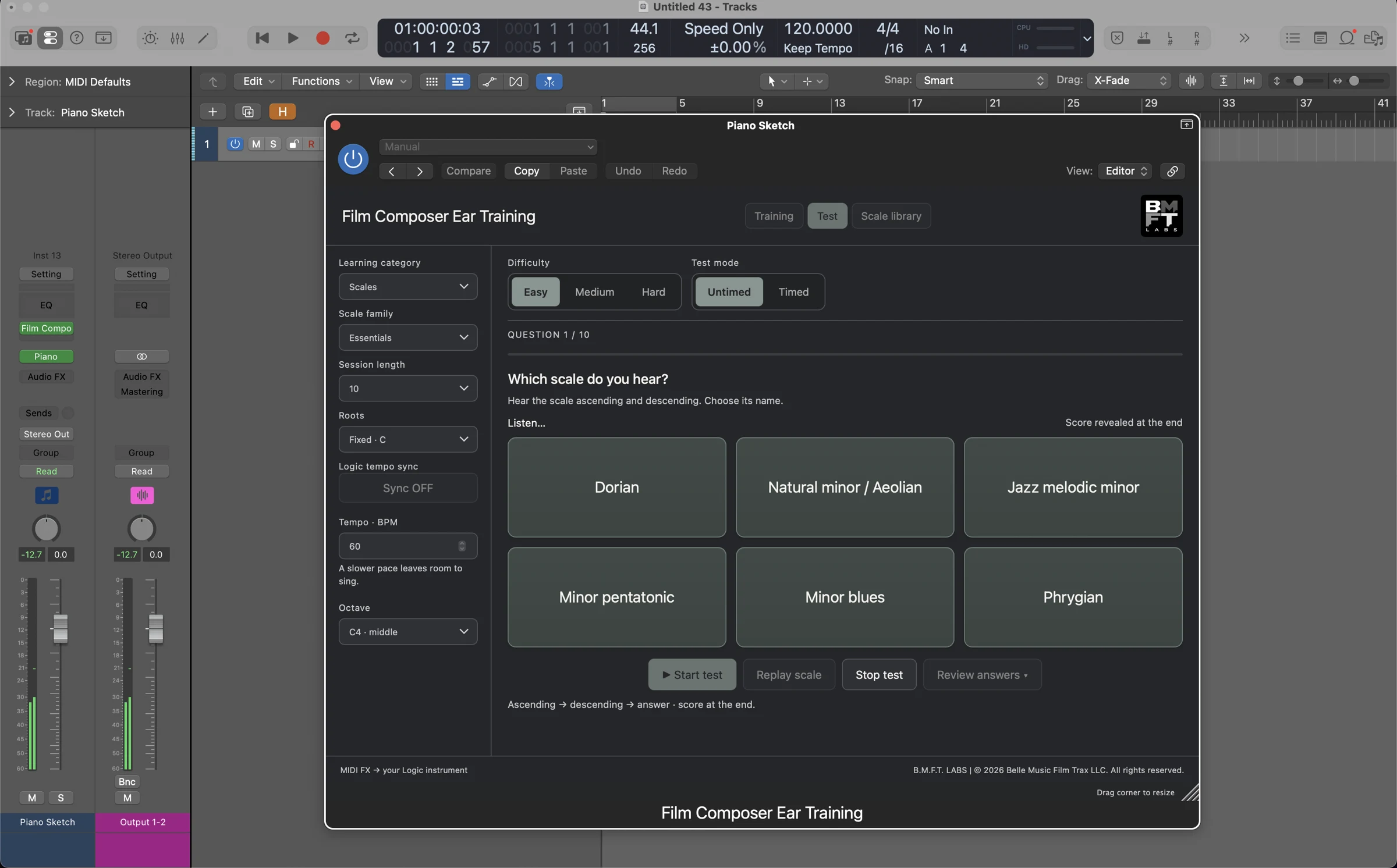
Explore Composer Ear Training in Logic Pro
Six demonstrations of the MIDI plug-in in a composing session. Hear the exercises through different software instruments and explore the interface in action.
Logic Pro and the third-party instruments and sound libraries shown are separate products and are not included.
Composer Ear Training in Logic Pro
Join Chris Piorkowski for a narrated demonstration of chord, interval and scale practice, recognition tests, answer review and MIDI export in Logic Pro 13.0.
Open the full demonstration video ↗
Mac plug-in demonstration · approximately 14 minutes · narrated in English. Logic Pro is required separately. Third-party instruments shown are optional and are not included. The Mac plug-in is available on the Mac App Store.
Signal path: Composer Ear Training MIDI FX → your piano or other software instrument → track output.
Inside Ableton Live
VST3 edition · Coming soon · Not included in the Mac App Store download
Chords, intervals and scales, routed to the instrument of your choice. Select any screenshot to enlarge.
Platform & requirements
Made for Mac
The Mac App Store edition requires macOS 12.0 or later and a Mac with Apple M1 chip or later. See the App Store listing for current compatibility details.
Windows and Intel Mac versions are not currently available.
Use it in your DAW
Logic Pro: AUv3 MIDI FX, placed before your software instrument. Tested with Logic Pro 13.
Ableton Live: VST3, routed to an instrument on a second MIDI track. Basic playback checked with Live 12.4.6; further host checks are in progress.
Insert an instrument of your choice
Load your chosen software instrument in your DAW and connect the plug-in using the Logic Pro or Ableton Live setup described here.
A compatible DAW and a software instrument are required and purchased separately where applicable.
The Mac App Store download includes a setup app and an AUv3 MIDI effect. Open the setup app, then insert the effect in a software instrument track’s MIDI FX slot in Logic Pro. Load an instrument on the same track to hear the exercises.
For chords and harmonic intervals, choose a polyphonic patch that can play multiple notes together. Monophonic solo legato patches are intended for single-note melodies and may not play every note of a chord. Use them for melodic intervals, arpeggios and scales.
Composer Ear Training is designed to be lightweight: it generates MIDI rather than producing instrument audio. Overall CPU and memory use depend largely on your DAW, the instruments and patches you load, and how many notes they play. Large orchestral libraries have their own requirements. Compatibility with other DAWs and older host versions has not yet been verified.
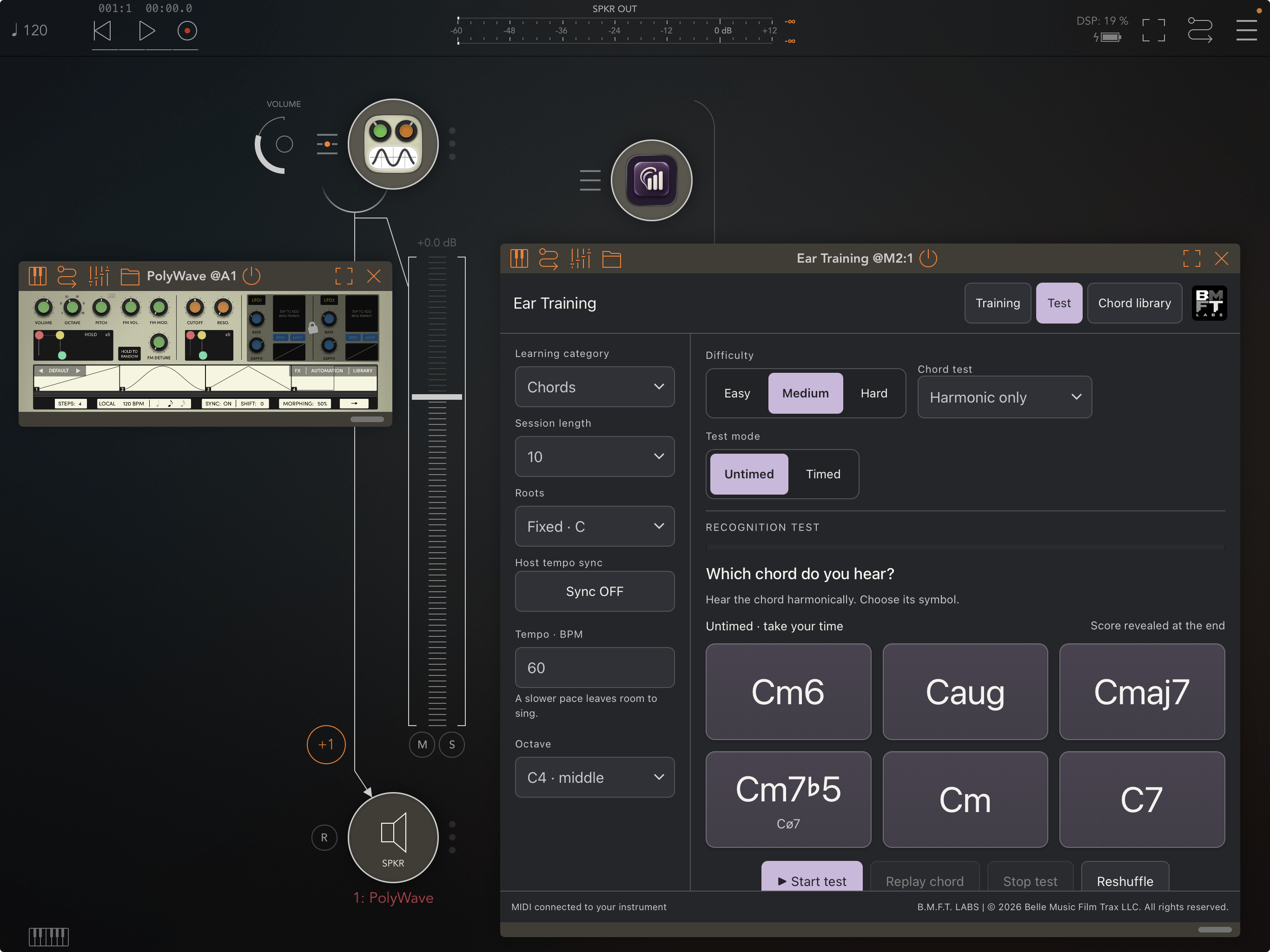
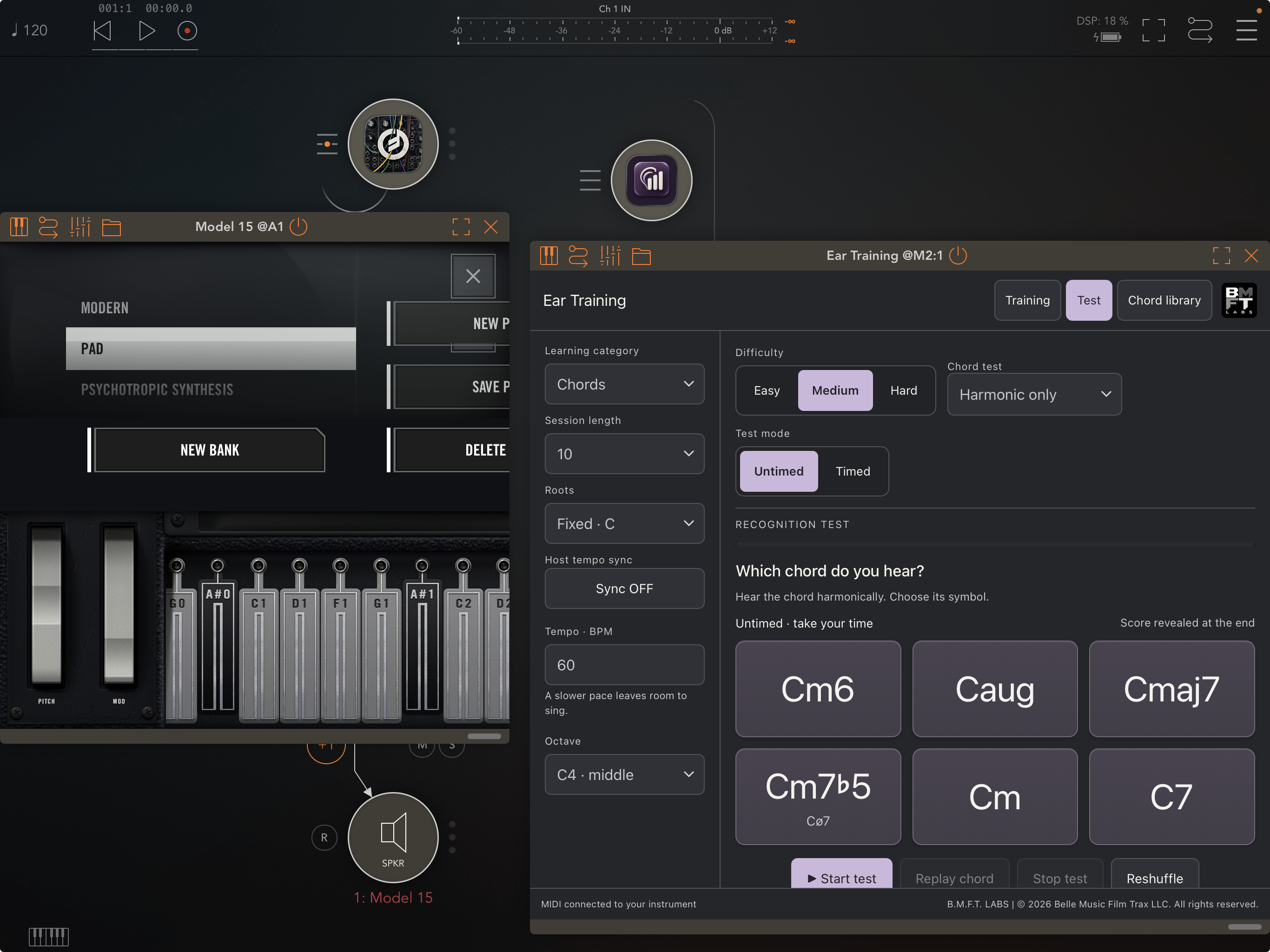
Composer Ear Training on iPad and iPhone.

Bring your listening practice to the instruments you enjoy on mobile. Available now on the App Store. The iOS app includes an AUv3 MIDI effect: load it in a compatible host such as AUM, then route its MIDI output to your chosen software instrument.
These iPad screenshots show chord recognition with PolyWave and Model 15. Practice with a suitable sound for each exercise, from synths to sampled instruments.
Read the iPhone and iPad setup guide
Practice on your iPhone.
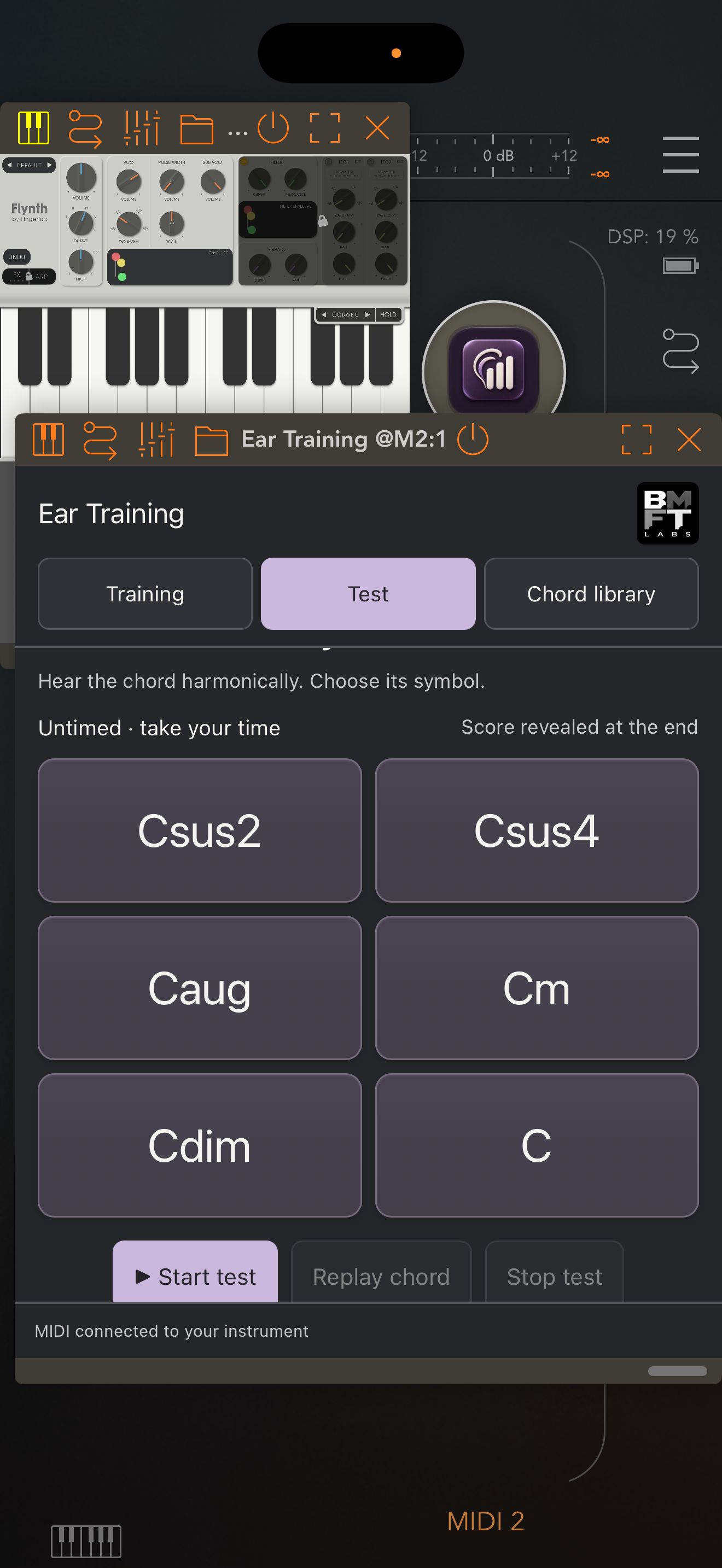
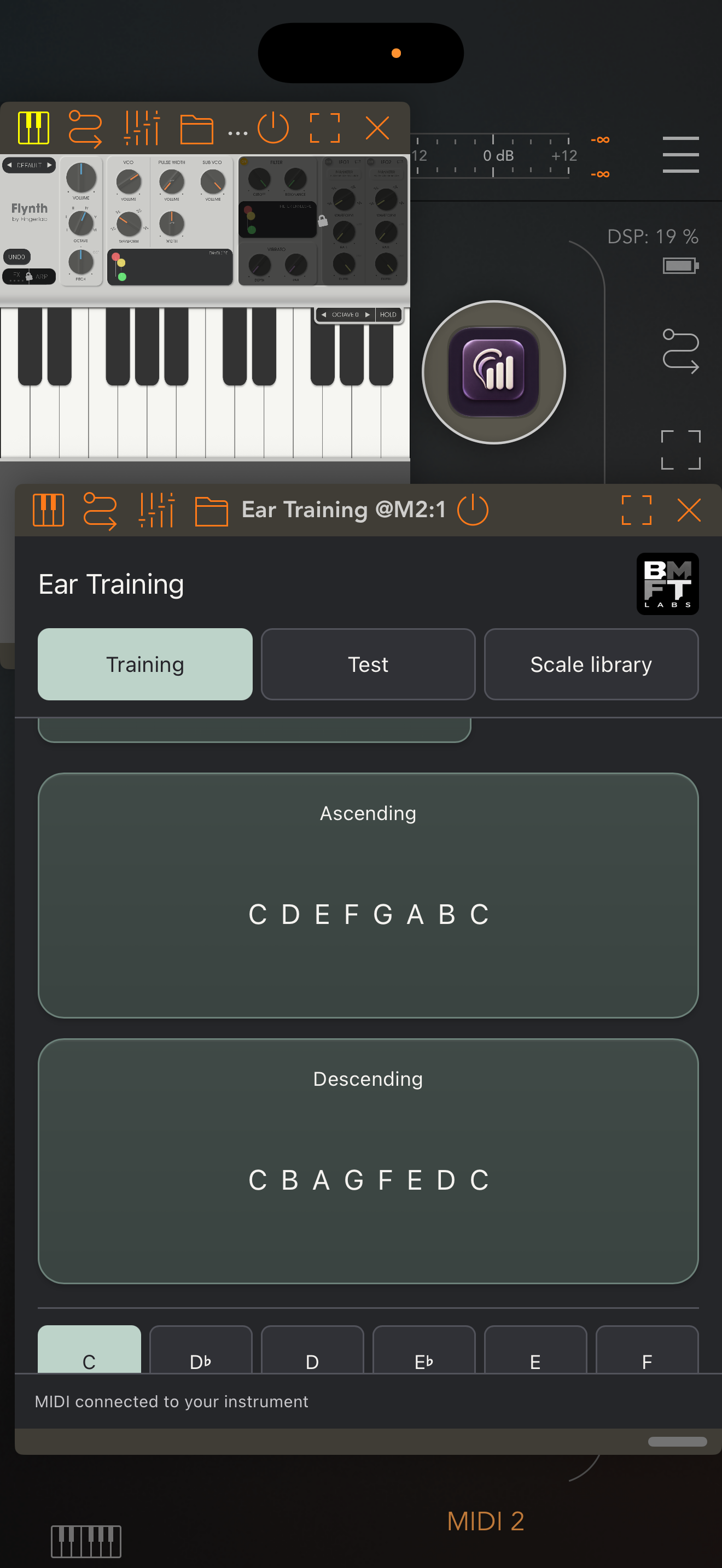
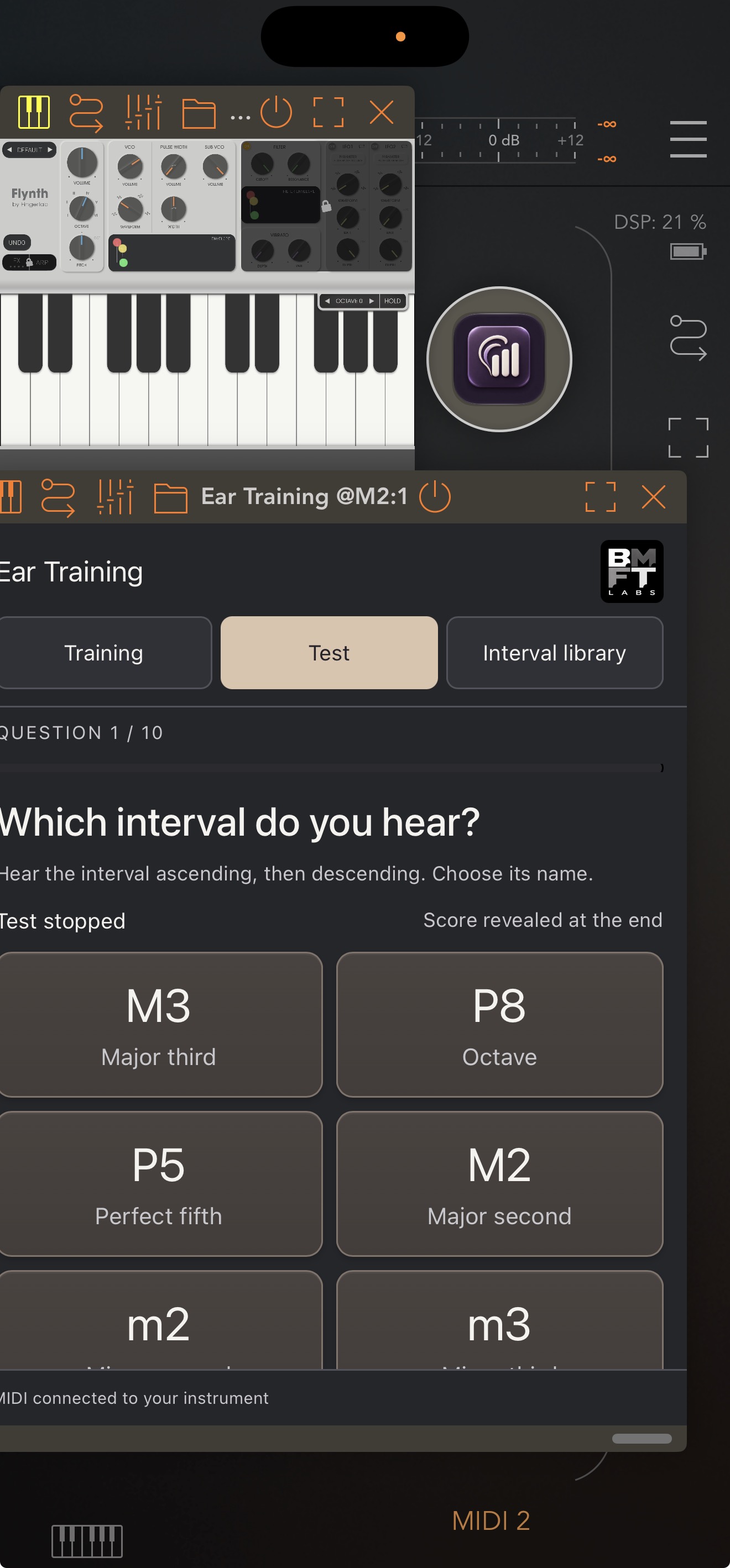
Screenshots shown. AUM, PolyWave, Model 15 and Flynth are separate third-party apps and are not included. See the iOS App Store listing for pricing and compatibility. The separate Mac plug-in is available on the Mac App Store.
Hear the possibilities.
Develop your musical ear with Composer Ear Training by BMFT LABS. Practice chords, intervals, scales and modes through your favorite software instruments, then test your recognition.
Available for Mac, iPad and iPhone on the App Store.
Mac plug-in · Available now · $49.99 USD
One-time purchase. No subscription. Available on the Mac App Store as a setup app with an AUv3 MIDI effect for Logic Pro. The VST3 edition remains in development and is not included in this download. Pricing may vary by country or region.
Get Composer Ear Training on the Mac App Store ↗
Scale exercises use 12-tone equal temperament. Regional entries introduce pitch patterns; they do not reproduce every tradition’s tuning, phrasing or performance practice. Modes are selected manually. Current exercise settings and results are not restored from a saved DAW project.
Bring Composer Ear Training to your classroom
Explore educational volume purchasing, faculty demonstrations and workshops for universities, conservatories and music schools.