Composer Ear Training
for Education
Connect listening with composing. Bring structured ear training into your classroom, teaching studio and students’ creative practice.
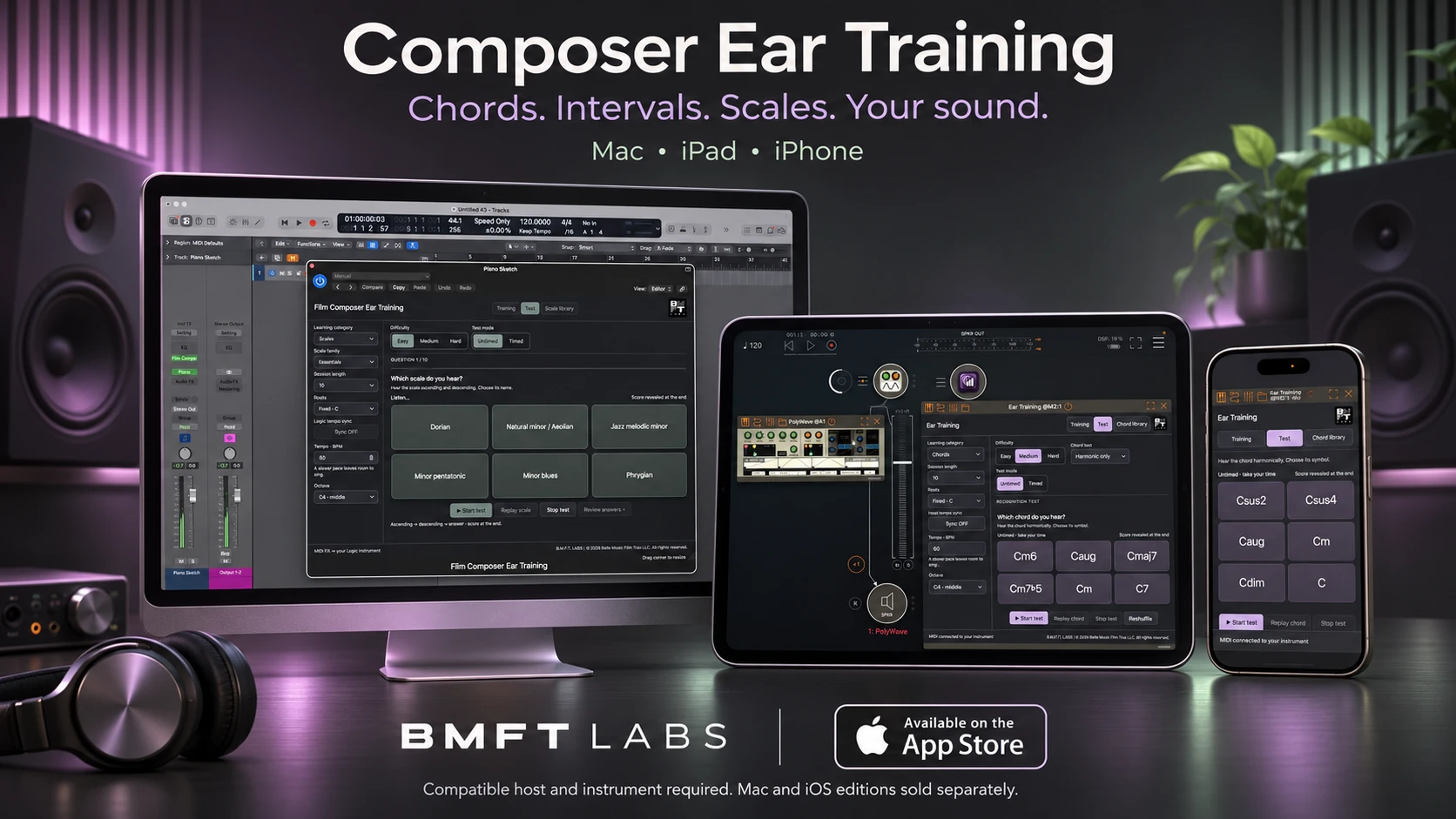
A place for listening in the composing workflow.
Designed for composers, Composer Ear Training brings chords, intervals, scales and modes into the software instruments students already use. Faculty can demonstrate musical relationships, guide focused practice and connect listening exercises with composition, arranging and film scoring.
Teach through sound
Explore chord colors, melodic intervals and scale patterns. Hear the same relationships through a piano, synth or suitable orchestral instrument.
Give practice a direction
Choose organized exercises and a suitable difficulty level. Listen, sing along and repeat at a comfortable pace.
Review and revisit
Use recognition tests and answer review to identify material that needs more attention. Return to practice with a clear focus.
One-time purchase. No subscription.
50% off
20 or more Mac licenses
Eligible educational institutions can purchase the Mac edition through Apple School Manager’s Apps and Books with the educational volume discount. Confirm eligibility, current regional pricing and the discount in your institution’s purchasing account before ordering.
Plan for the way you teach
Tell us whether you are equipping a shared Mac lab, supporting individual student devices or exploring a small faculty pilot. We can help you identify the right edition and discuss the setup before your institution purchases.
Mac and iPhone/iPad editions are separate purchases. The Mac volume offer described here does not include Logic Pro, mobile hosts or instrument libraries.
Apple School Manager eligibility and deployment requirements apply. Independent music schools should check eligibility with Apple. Contact us if your school needs help identifying a purchasing route.
From faculty introduction to student practice.
Share your teaching needs
Let us know your course, platforms, estimated seat count and whether students use shared or personal devices.
See the workflow
Arrange an online faculty demonstration or discuss an on-site session covering setup, exercises and classroom use.
Coordinate with your IT team
Confirm compatibility, host availability and license assignment before purchasing and deploying across your institution.
Prepare your classroom setup.
Mac: Apple-silicon Mac with macOS 12 or later, Logic Pro and a software instrument. The Mac App Store edition includes a setup app and an AUv3 MIDI effect.
iPhone and iPad: the separate iOS edition requires a compatible AUv3 MIDI host, such as AUM, and a software instrument. Check the current App Store listing for device and OS compatibility.
Third-party hosts, instruments and sound libraries are separate products. The VST3 edition is in development and is not included in the Mac App Store download.
Questions from faculty and IT teams
Does every student need a license?
Your deployment determines the license count. Apple’s managed distribution supports assignment to users or devices. A shared lab and individual student devices therefore need different planning. A single purchase does not provide unlimited campus access; have your IT team confirm the assignment model and required licenses before ordering.
Is there a yearly subscription?
The current app editions are one-time purchases, with no recurring subscription. Demonstrations, workshops or any separately agreed services are discussed individually. A purchase does not promise every future major edition.
Does it track a class or connect to an LMS?
Composer Ear Training provides listening exercises, recognition tests and answer review within the app. It does not include a faculty dashboard, class roster or LMS integration. Current exercise settings and results are not restored from a saved DAW project.
Can you demonstrate it at our school?
Online demonstrations and on-site workshops are available by arrangement. Send your location, audience and preferred dates so we can discuss availability, scope, travel and any applicable fees.
Bring Composer Ear Training to your school.
Contact BMFT LABS with your institution, teaching goals, platform and estimated license count. For a demonstration, include your preferred format and dates.
bellemusicfilmtrax@gmail.comOnline demonstrations and on-site workshops by arrangement.